
Assigned Events
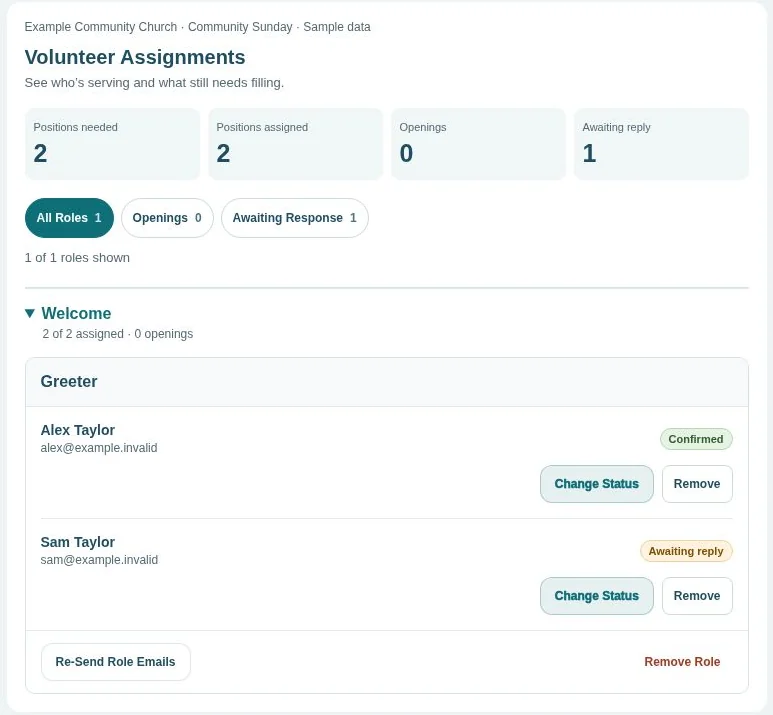
Build a schedule, email assignments, and track YES or NO replies so you know when to find a replacement.
For Sunday rotations and teams where you choose who serves.
Church volunteer scheduling
Assign roles and get YES or NO replies, or let people choose spots on The Sign Up Sheet. Invite households by email or share an open link. No volunteer apps or accounts needed.
No credit card to get started. Email sending is free for 30 days once you start your trial, then $10 per month per organization.
 Enlarge (opens in a new tab)
Two ways to schedule
Use both event types in one organization. The Sign Up Sheet offers household email invitations or an open shareable link.
Explore church volunteer scheduling with Sunday Serve
Build a schedule, email assignments, and track YES or NO replies so you know when to find a replacement.
For Sunday rotations and teams where you choose who serves.
Use saved team roles with private household email invitations, or build custom roles across dates and services and share an open link.
For church meals, special events, and other open sign-ups.
Explore The Sign Up SheetCreate your organization. Add saved teams and roles, or build an open sheet with its own custom positions.
Choose Admin Assigned Event or The Sign Up Sheet. For sign-ups, choose invited households or anyone with the link.
Track coverage and print a copy. Send assignment or household emails, or share your open sheet link directly.
Build your first service before you start a trial.