
Assigned Events
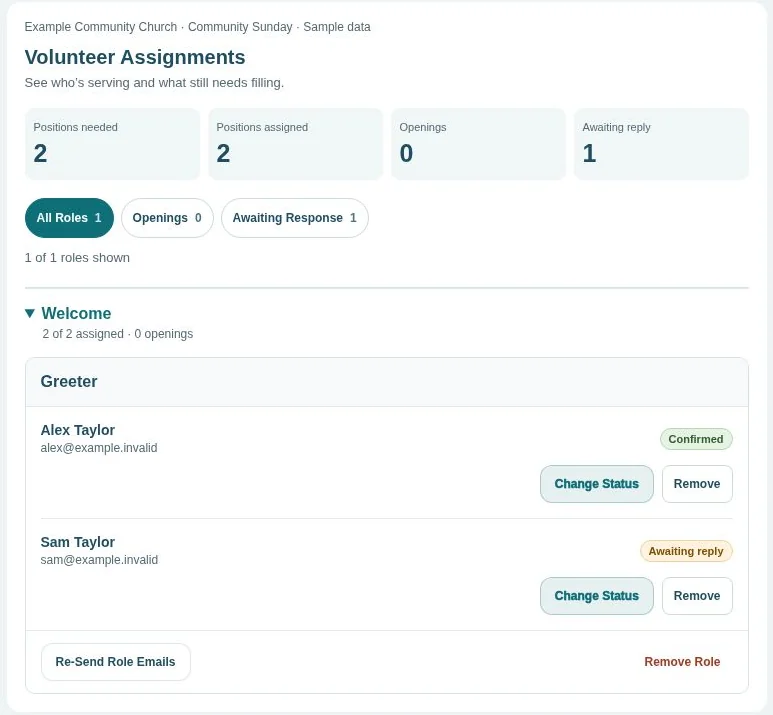
Choose who serves and email their assignments. Volunteers answer YES or NO, so you can see who’s confirmed and where you need a replacement.
For Sunday rotations, worship teams, and other scheduled roles.
About Sunday Serve
Sunday Serve helps churches and nonprofits organize volunteers. Leaders can build a schedule or share a sign-up sheet. Volunteers respond through email links or an open sign-up link, with no app or account needed.
No credit card to set up. Email sending has a 30-day free trial, then costs $10 per month per organization.
 Enlarge (opens in a new tab)
Two ways to schedule
Choose who serves and email their assignments. Volunteers answer YES or NO, so you can see who’s confirmed and where you need a replacement.
For Sunday rotations, worship teams, and other scheduled roles.
Invite households by email using your saved teams and roles, or build a custom sheet across dates and services and share an open link. Volunteers choose available spots in either format.
For church meals, special events, and other open sign-ups.
Explore The Sign Up SheetFrom setup to Sunday
Create teams like Welcome or Worship, add the roles each team needs, and add your volunteers. For assigned events, choose which roles each person can fill. For invited household sheets, invite households directly by email. For open sheets, go straight to Events and build custom roles across dates and services without saved teams or people. After signing in, use Teams, Roles, People, and Events in the desktop sidebar or the top navigation on smaller screens. Help is always in the top navigation.
An assignment email lists the event, date, and requested roles, with YES and NO buttons and a private My Schedule link. An invited household uses its private email link to choose who is serving, with household names remembered for future sheets. An open sheet uses a shareable link where anyone can enter names. Open entries stay on that sheet and do not appear in My Schedule.
Track replies and find replacements for assigned events. For invited household sheets, check openings and send manual reminders. For open sheets, check filled and unfilled spots and share the link yourself. Admins can pause or close an open sheet. All formats have print options.
Unlimited teams, roles, people, events, and admins. No ads.